Category: Uncategorized

  • WordPress 7.0 is Here — Buddy Notification Bell is Fully Tested & Compatible

    WordPress 7.0 is Here — Buddy Notification Bell is Fully Tested & Compatible

    WordPress 7.0 “Armstrong” has officially landed — and it’s one of the most significant WordPress releases in years! From a modernised admin dashboard to a native AI framework and powerful new developer APIs, WordPress 7.0 marks a new chapter for the world’s most popular CMS.

    Here at BuddyDevelopers, the moment a major WordPress release drops, our first priority is to make sure all our plugins are fully tested and compatible. We’re happy to confirm: Buddy Notification Bell has been tested and updated for WordPress 7.0 — you can update with confidence.

    What’s New in WordPress 7.0?

    WordPress 7.0 is a major release that merges improvements from Gutenberg plugin versions 22.0 through 22.6 into core. Here’s a quick rundown of what’s new:

    • 🎨 Refreshed Admin Interface — A modern, cleaner dashboard UI that improves comfort for everyday WordPress users.
    • 🤖 Native WP AI Client — A unified AI framework that lets plugins and themes connect to external AI models without each needing separate API key management.
    • 📊 DataViews for Content Management — A smarter, more flexible way to browse and manage your posts, pages, and custom post types.
    • 🧩 PHP-Only Blocks — Developers can now build blocks without React, opening the door to simpler, server-rendered block creation.
    • 🔁 Visual Revisions — A visual comparison tool to review changes between versions of a page or post.
    • ⚙️ New Developer APIs — Expanded tooling for plugin and theme developers, including the new Abilities API and AI Connectors framework.
    • 🛡️ PHP 7.4 Minimum — PHP 7.2 and 7.3 are no longer supported. PHP 8.2+ is recommended for best performance.

    Note: Real-time collaborative editing was originally planned for 7.0 but has been postponed to WordPress 7.1. It will allow multiple users to edit the same post simultaneously — stay tuned!

    Official WordPress 7.0 Resources

    📌 WordPress 7.0 Announcement (WordPress.org News) — Official release post

    📌 WordPress 7.0 Release Candidate 4 — WordPress.org News — Final RC notes & Field Guide

    📌 WordPress 7.0 Developer Notes — developer.wordpress.org — Technical overview for developers

    📌 WordPress 7.0 Release Party Schedule — Make WordPress Core — Full release timeline and milestones

    Buddy Notification Bell — Tested & Compatible with WordPress 7.0
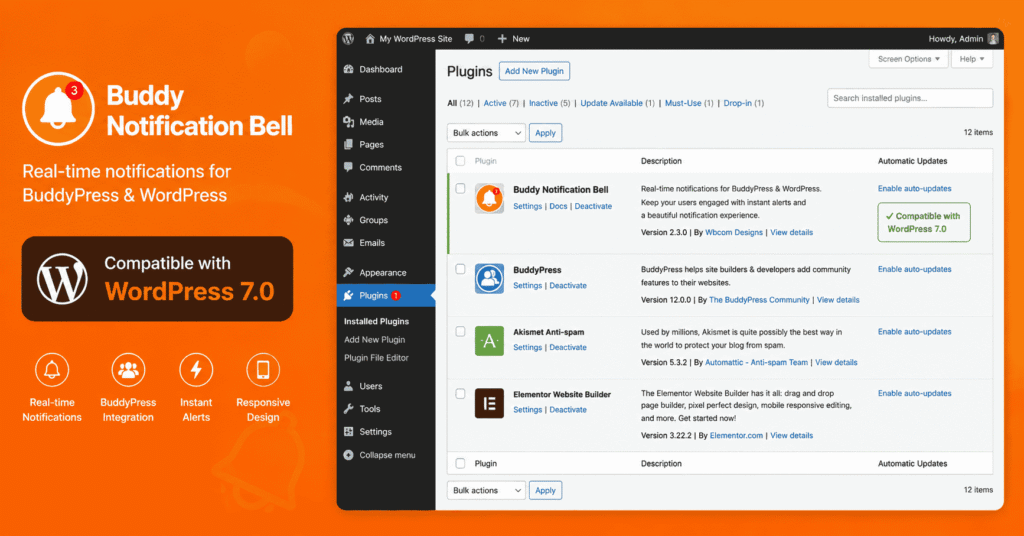
    wordpress 7.0 compatible with budddypress or buddyboss

    We’re pleased to confirm that Buddy Notification Bell has been fully tested against WordPress 7.0 and is compatible. We’ve reviewed all core hooks, REST API calls, and BuddyPress/BuddyBoss integration points — everything works as expected.

    If you’re running the latest version of the plugin, simply update WordPress and you’re good to go. No additional changes are required on your end.

    What is Buddy Notification Bell?

    Buddy Notification Bell is a powerful plugin that adds a real-time notification bell to your BuddyPress or BuddyBoss-powered community site. It keeps your members engaged and informed without leaving the site.

    Key Features:

    • 🔔 Real-time notification bell in the BuddyPress/BuddyBoss member bar
    • ⚡ AJAX-powered — notifications load without page refresh
    • 🎛️ Fully customisable notification types — activities, messages, friend requests, and more
    • 📱 Mobile-friendly and responsive design
    • 🔧 Easy configuration from the WordPress admin panel
    • ✅ Compatible with BuddyPress and BuddyBoss Platform

    Watch: Buddy Notification Bell in Action

    We’ve also put together a detailed video tutorial showing exactly how to set up and configure Buddy Notification Bell on your BuddyPress or BuddyBoss site. Check it out below:

    Watch the Buddy Notification Bell Tutorial on YouTube

    Compatibility at a Glance

    Plugin Version Tested:  [version 2.0.2]

    WordPress 7.0:  ✅ Fully Compatible

    BuddyPress:  ✅ Compatible

    BuddyBoss Platform:  ✅ Compatible

    PHP Minimum:  7.4 (8.2+ Recommended)

    How to Update

    Updating is simple. Before you begin, always back up your site.

    Step 1: Back up your site (database + files).

    Step 2: Test the update on a staging environment first, especially if you have a complex setup.

    Step 3: Navigate to Dashboard → Updates in your WordPress admin and update to WordPress 7.0.

    Step 4: Make sure Buddy Notification Bell is on the latest version — update from Dashboard → Plugins if needed.

    Further Reading & Resources

    🔗 WordPress 7.0 Official Release Post — WordPress.org

    🔗 WordPress 7.0 Release Candidate 4 Notes — WordPress.org

    🔗 WordPress 7.0 Developer Field Guide — developer.wordpress.org

    🔗 WordPress 7.0 Release Party & Full Schedule — Make WordPress Core

    🔗 Buddy Notification Bell Video Tutorial — YouTube (BuddyDevelopers)

    Have Questions or Feedback?

    If you run into any issues after updating to WordPress 7.0, or if you have questions about Buddy Notification Bell, feel free to reach out — we’re here to help!

    Drop a comment below, or visit our BuddyDevelopers YouTube Channel for more tutorials on BuddyPress, BuddyBoss, and community website development.

  • Top 4 Free WordPress Themes for Hospital Websites (2025)

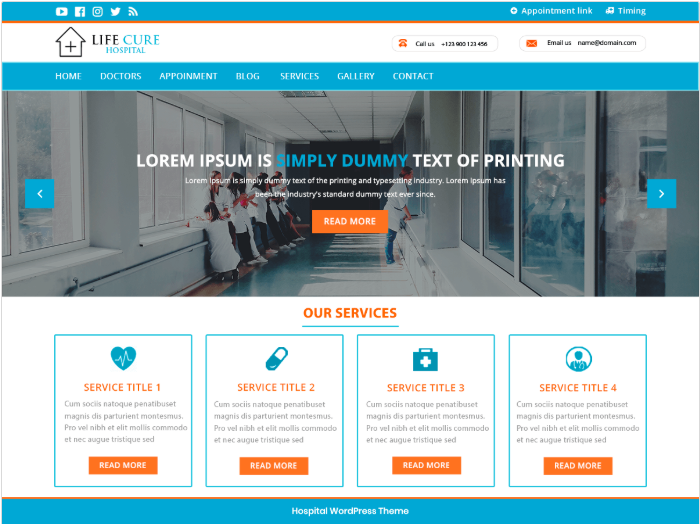
    Top 4 Free WordPress Themes for Hospital Websites (2025)

    Creating a professional and trustworthy hospital website is crucial in today’s digital world. Whether you’re running a hospital, clinic, or healthcare center, a clean and user-friendly website can help you reach more patients and offer better services. Fortunately, WordPress offers several free themes that are perfect for medical and hospital-related websites.
    In this post, we’ll explore the Top 4 Free WordPress Themes for Hospital Websites that combine design, functionality, and ease of use—all without costing a single penny.

    VW Hospital Lite

    VW Hospital Lite is a powerful, feature-rich, and cleanly designed WordPress theme crafted specifically for hospitals, clinics, and medical professionals. This theme offers:

    • Responsive design
    • Appointment booking functionality
    • Custom sections for services, doctors, testimonials, and more
    • Easy-to-use customization options

    Why choose it?
     It’s beginner-friendly and helps you create a hospital website with essential features—perfect for small clinics or medical startups.

    WordPress Themes for Hospital Websites (VH Hosspital Lite)

    2. Medical Heed

    Medical Heed is a modern and elegant WordPress theme designed for hospitals, nursing homes, and health centers. It features:

    • Clean and modern layout
    • Support for WooCommerce and Contact Form 7
    • Section for team, testimonials, and services
    • Custom widgets and slider support

    Why choose it?

     It’s ideal for users who want a simple yet visually appealing hospital website that builds trust and showcases services clearly.

    WordPress Themes for Hospital Websites ( medical Heed)

    3. Meditex Lite

    Meditex Lite is a stylish and customizable free WordPress theme built for healthcare providers. It includes:

    • Retina-ready and responsive layout
    • Built-in appointment booking system
    • Multiple homepage sections (services, team, gallery, contact)
    • SEO-friendly and fast-loading

    Why choose it?

    This theme is great for those looking for a more modern design and built-in appointment features—all without plugins.

    WordPress Themes for Hospital Websites (Meditax lite)

    4. Medical Way

    Medical Way is a responsive and clean WordPress theme suitable for hospitals, health clinics, and doctors. Key features include:

    • Easy customization with WordPress Customizer
    • Clean sections for services, doctors, and testimonials
    • Compatible with major plugins like WooCommerce
    • Responsive design for all devices
    WordPress Themes for Hospital Websites(Medical Way)

    Why choose it?

     It’s a solid choice for users who want simplicity and compatibility with important WordPress tools.

    Final Thoughts

    Choosing the right WordPress theme is the first step toward building a strong online presence for your hospital or clinic. Each of these free themes offers great features tailored for the healthcare industry. Whether you’re looking for advanced functionality or a simple clean design, these themes have something to offer.
    So, if you’re ready to take your medical website to the next level, start with one of these top free hospital themes!

    Do you want a custom hospital website design or need help setting up your WordPress theme? Contact us for expert support!

  • Top 3 Best Affiliate Marketing Tools and Plugins for WordPress

    Top 3 Best Affiliate Marketing Tools and Plugins for WordPress

    If you’re aiming to enhance your WordPress site’s affiliate marketing capabilities, selecting the right tools is crucial. Based on insights from the video “Top 3 Best Affiliate Marketing Tools and Plugins for WordPress” and corroborated by expert reviews, here are the top three affiliate marketing plugins to consider.

    1. Pretty Links

    Pretty Links is a powerful tool for managing and optimizing affiliate links. It allows you to cloak long, unwieldy URLs into clean, branded links, making them more user-friendly and trustworthy.
    Key Features

    • Link Cloaking: Transform long affiliate URLs into concise, branded links.
    • Comprehensive Reporting: Track clicks, unique clicks, and conversion rates directly from your WordPress dashboard.
    • Auto-Linking: Automatically hyperlink keywords throughout your content.
    • Integration: Seamlessly integrates with Google Analytics for advanced tracking.

    Ideal For: Bloggers and marketers seeking to manage and track affiliate links efficiently.
    Pricing: Offers a free version; premium plans start at $99.50/year.

    2. Thirsty Affiliates

    ThirstyAffiliates is designed for affiliate marketers who need advanced link management features. It provides tools to organize, cloak, and insert affiliate links seamlessly into your content.
    Key Features:

    • Link Management: Organize links into categories and add images or banners.
    • Geo-Location Targeting: Redirect users based on their geographic location.
    • Amazon Integration: Import affiliate products using the Amazon API.
    • Advanced Reporting: Gain insights into link performance and user behavior.

    Ideal For: Marketers requiring robust link management and geo-targeting capabilities.
    Pricing: Free version available; premium plans start at $79.50/year.

    3. MonsterInsights

    MonsterInsights is a comprehensive analytics plugin that helps you understand your website traffic and affiliate link performance. It simplifies Google Analytics integration, providing actionable insights directly within WordPress.
    Key Features:

    • Affiliate Link Tracking: Monitor clicks on affiliate links and banners.
    • Real-Time Stats: View real-time traffic data and user behavior.
    • Enhanced Ecommerce Tracking: Track transactions and revenue from affiliate referrals.
    • Custom Reports: Generate reports tailored to affiliate marketing performance.

    Ideal For: Site owners looking to leverage data to optimize affiliate marketing strategies.
    Pricing: Offers a free version; premium plans start at $99.50/year.

    Conclusion.

    Selecting the right affiliate marketing plugin depends on your specific needs

    • For link cloaking and management: Pretty Links is a user-friendly option.
    • For advanced link management and geo-targeting: ThirstyAffiliates offers robust features.

    By integrating these tools into your WordPress site, you can streamline your affiliate marketing efforts, enhance user experience, and ultimately increase your revenue.

  • Top 3  WordPress Plugins for Creating Contact Forms in 2025 (TESTED)

    Top 3 WordPress Plugins for Creating Contact Forms in 2025 (TESTED)

    A contact form is an essential element of any website. Whether you’re running a blog, business site, or portfolio, a simple and effective way for users to get in touch is crucial. In 2025, there are countless plugins available—but which ones are truly the best?

    We tested the top-rated options, and here are our top 3 free WordPress contact form plugins for 2025

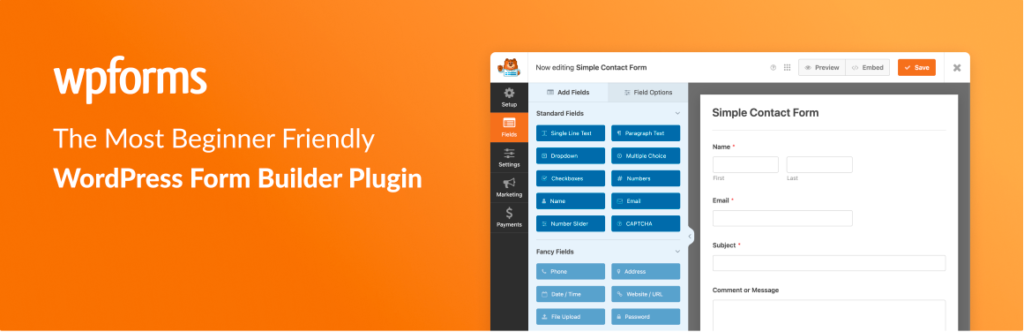
    WP Forms – Beginner-Friendly Drag & Drop Builder

    Why it’s great:
    WP Forms is one of the most popular and user-friendly contact form plugins. With its intuitive drag-and-drop builder, you can create beautiful forms in minutes—no coding needed.

    Key Features:

    • Pre-built form templates
    • Mobile responsive
    • Spam protection (Google reCAPTCHA)
    • Email notifications
    • Easy integration with marketing tools (in pro version)

    Best For: Beginners and non-technical users who want a quick and effective form solution.


    2. Contact Form 7 – Lightweight and Flexible

    Why it’s great:
    Contact Form 7 is one of the oldest and most downloaded contact form plugins. While it doesn’t have a visual drag-and-drop builder, it’s highly customizable and perfect for developers or experienced users.

    Key Features:

    • Simple shortcode-based form creation
    • Supports multiple forms
    • Ajax-powered form submissions
    • reCAPTCHA and spam filtering
    • Lightweight and minimal

    Best For: Advanced users or developers looking for a free, reliable form plugin.


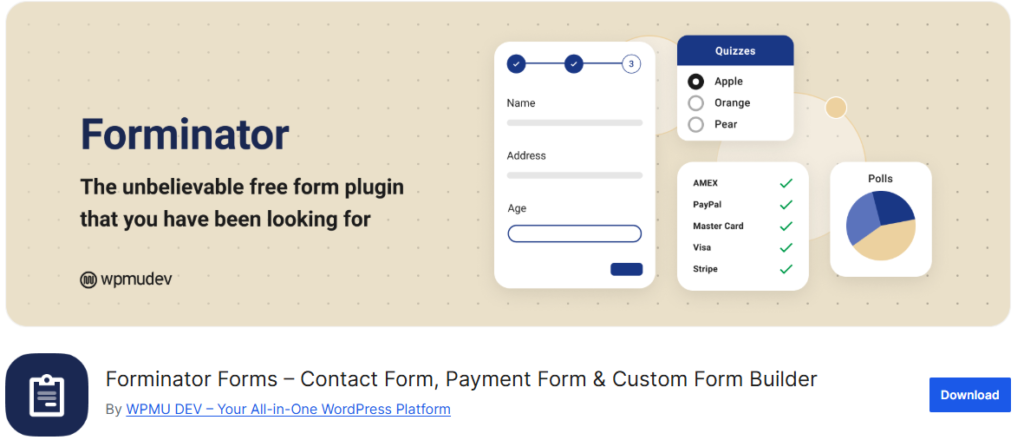
    3. Forminator – Powerful with a Modern UI

    Why it’s great:
    Forminator stands out with its modern design and advanced features, even in the free version. It supports not only contact forms but also polls, quizzes, and calculations.

    Key Features:

    • Drag-and-drop form builder
    • Built-in spam protection (reCAPTCHA, honeypot)
    • Conditional logic
    • Email routing
    • Integrations (like Google Sheets and Slack)

    Best For: Users who want more advanced form functionality for free.


    Final Thoughts

    Choosing the right contact form plugin depends on your needs.

    • Go with WPForms if you want simplicity and speed.
    • Use Contact Form 7 if you prefer full control and customization.
    • Try Forminator if you need advanced features without spending a dime.

    All three plugins are fully tested and trusted by thousands of WordPress users. Try them out and see which one fits your site best!

  • Best WordPress Page Builder Plugins Compared

    Best WordPress Page Builder Plugins Compared

    1. Elementor

    Elementor is one of the most popular and powerful page builders for WordPress. It offers a real-time visual editor with a user-friendly interface that allows you to create responsive designs with ease.
    Key Features:

    • Drag-and-drop editor
    • 100+ pre-designed templates
    • Advanced design capabilities with custom CSS
    • Seamless integration with popular plugins and themes

    Elementor is ideal for beginners and professionals looking for a feature-rich and intuitive page builder.

    2. Divi Builder

    Divi Builder by Elegant Themes is a premium page builder with a highly customizable drag-and-drop interface.
    Key Features:

    • Real-time WYSIWYG editing
    • Over 40+ website modules
    • Global design settings
    • Built-in A/B testing for optimization

    Divi Builder is perfect for users who want advanced design flexibility and premium support.

    How to Use Divi Builder: Your Step-by-Step Guide

    Gutenberg


    Gutenberg is WordPress’s default block editor, designed to replace the classic editor and offer a block-based editing experience.
    Key Features:

    • Built-in block-based editing system
    • Improved content layout and customization
    • Lightweight and optimized for speed
    • Seamless integration with WordPress themes and plugins

    Gutenberg is great for bloggers and content creators who prefer a minimalistic and native WordPress experience.

    4. SeedProd

    SeedProd is a landing page builder designed for creating coming soon pages, maintenance mode, and sales pages with ease.
    Key Features:

    • Drag-and-drop page builder
    • Pre-built templates for quick setup
    • Integration with email marketing services
    • Customizable coming soon and maintenance mode pages

    SeedProd is ideal for marketers and business owners looking to create high-converting landing pages quickly.

    5. Beaver Builder


    Beaver Builder is a reliable and developer-friendly WordPress page builder.
    Key Features:

    • Live front-end editing
    • Responsive and SEO-optimized design
    • Lightweight and fast-loading performance
    • Works well with WooCommerce and other plugins

    Beaver Builder is perfect for developers and businesses looking for a stable and high-performance page builder.

    Which Page Builder Should You Choose?

    • For an all-in-one page builder with extensive features, go for Elementor.
    • If you prefer a premium, highly customizable experience, choose Divi Builder.
    • For a built-in, block-based editor that’s lightweightGutenberg is the way to go.
    • If you need a dedicated landing page builder, opt for SeedProd.
    • For a stable, developer-friendly builderBeaver Builder is an excellent choice.

    Final Thoughts

    Each of these page builders offers unique benefits depending on your needs. Whether you’re building a personal blog, a business website, or an eCommerce store, there’s a page builder that’s perfect for you.
    If you found this article helpful, don’t forget to share it with others who might be looking for the best WordPress page builder!
    Watch this video for more insights: Best WordPress Page Builder Plugins (Campared)

  • Top 10+ Earning Online Business Directory Niches

    Top 10+ Earning Online Business Directory Niches

    In today’s digital world, online business directories have become a lucrative source of revenue. They help businesses connect with customers while generating income through paid listings, advertisements, and affiliate marketing. If you’re planning to start an online directory, choosing the right niche is essential for success.

    Here are the top 10+ earning online business directory niches that can help you generate significant revenue.

    1. Real Estate Directories

    Real estate directories allow users to list and find properties for sale, rent, or lease. These directories generate income through paid property listings, featured ads, and lead generation for realtors.
    Examples: Zillow, Realtor.com

    2. Restaurant Directories

    A restaurant directory provides information on local restaurants, cafes, and food delivery services. Monetization options include premium listings, sponsored reviews, and food delivery partnerships.
    Examples: Yelp, Zomato

    3. Business Directories

    A general business directory lists businesses across various industries. These directories earn through subscription plans, featured business listings, and Google AdSense.
    Examples: Yellow Pages, Manta

    4. Legal Services Directories

    These directories connect users with lawyers and legal firms. Revenue streams include lead generation fees, premium lawyer profiles, and advertisements from law firms.
    Examples: Avvo, FindLaw

    5. Home Improvement Service Directories

    Home service directories list professionals like plumbers, electricians, and painters. They earn through lead generation fees, pay-per-call services, and featured business listings.
    Examples: HomeAdvisor, Angi (formerly Angie’s List)

    6. Education Directories

    Education directories list schools, colleges, universities, and online courses. Monetization includes sponsored listings, affiliate marketing, and lead generation for institutions.
    Examples: Niche.com, CourseHorse

    7. Event Planning Directories

    These directories list event venues, wedding planners, and party suppliers. They earn through vendor subscriptions, featured listings, and ticketing commissions.
    Examples: WeddingWire, The Knot

    8. Freelancer & Service Providers Directories

    A freelancer directory helps connect businesses with independent professionals in various industries. Income sources include subscription fees, job posting charges, and commission-based earnings.
    Examples: Upwork, Fiverr

    9. Automotive Service Directories

    These directories list car repair shops, dealerships, and car rental services. Monetization options include paid business listings, featured ads, and lead generation for auto services.
    Examples: AutoMD, RepairPal

    10. Tourism & Travel Directories

    Tourism directories provide information on hotels, travel agencies, and attractions. Revenue streams include hotel affiliate programs, premium travel listings, and advertising partnerships.
    Examples: TripAdvisor, Expedia

    Why Start an Online Business Directory?

    • Passive Income Potential – Once set up, directories can generate recurring revenue through memberships and ads.
    • High Demand – People always search for trusted service providers online.
    • Scalability – You can expand categories or launch niche-specific directories.

    If you’re considering starting an online directory, choosing the right niche is key. Focus on a profitable sector, optimize your site for SEO, and market it effectively to attract users.

    Watch this video for more insights: Top 10+ Earning Online Business Directory Niches https://youtu.be/hbKjhNYwACM

  • Top 5 Best WordPress WooCommerce Themes

    Top 5 Best WordPress WooCommerce Themes

    Choosing the right WooCommerce theme is crucial for building a professional and high-performing online store. A great theme enhances user experience, boosts sales, and ensures smooth functionality. In this blog, we’ll explore the top 5 best WooCommerce themes to help you find the perfect fit for your eCommerce business.

    1. Astra

    Astra is a lightweight, fast, and highly customizable WooCommerce theme.
    Key Features:

    • Optimized for speed and performance
    • Pre-built WooCommerce templates
    • Seamless integration with Elementor and other page builders
    • Advanced typography and layout settings
    • Astra is perfect for beginners and advanced users looking for a flexible and fast-loading WooCommerce theme.

    Astra is a lightweight, fast, and highly customizable WooCommerce theme.
    Key Features:

    2. OceanWP

    OceanWP is a versatile and highly customizable theme designed for eCommerce websites.
    Key Features:

    • Fully responsive and SEO-friendly
    • Fast-loading performance
    • Deep integration with WooCommerce for advanced features
    • Multiple demo layouts and extensions

    OceanWP is ideal for store owners who want a feature-packed theme with deep WooCommerce integration.

    3. Neve

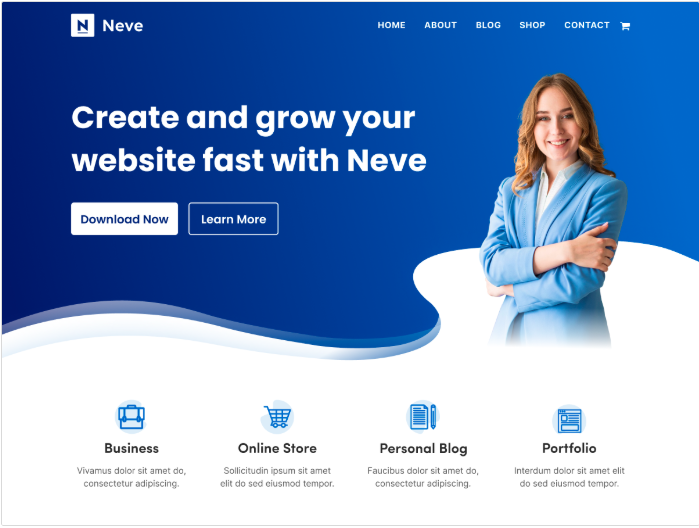
    Neve is a modern and lightweight WooCommerce theme built for speed.
    Key Features:

    • Mobile-first design with AMP support
    • Fast loading times and clean code
    • One-click demo import for quick setup
    • Works with Elementor, Gutenberg, and Beaver Builder

    Neve is great for small business owners and entrepreneurs looking for a simple yet powerful WooCommerce theme.

    4. Storefront

    Storefront is Woo Commerce’s official theme, designed for seamless integration with the plugin.
    Key Features:

    • Developed by WooCommerce for maximum compatibility
    • Lightweight and minimal design
    • Built-in WooCommerce functionality with customizations
    • Secure and stable with frequent updates

    Storefront is the best option for WooCommerce purists who want a solid, reliable foundation for their online store.

    5. Woostify

    Woostify is a performance-focused WooCommerce theme designed for fast and efficient eCommerce experiences.
    Key Features:

    • Ultra-fast loading speed and lightweight design
    • Optimized for SEO and conversions
    • Built-in AJAX search and multi-step checkout
    • Compatible with popular page builders

    Woostify is perfect for store owners who prioritize speed, efficiency, and SEO.

    Which WooCommerce Theme Should You Choose?

    • For a lightweight, customizable, and fast theme, go for Astra.
    • If you want an all-in-one, feature-rich WooCommerce theme, try OceanWP.
    • For a simple, modern design optimized for speed, Neve is a great choice.
    • If you prefer WooCommerce’s official theme for stability, go with Storefront.
    • For a speed-optimized and conversion-friendly theme, Woostify is the best option.

    Final Thoughts

    Each of these WooCommerce themes offers unique features suited for different business needs. Whether you’re running a fashion store, electronics shop, or digital marketplace, there’s a perfect WooCommerce theme for you.
    If you found this article helpful, don’t forget to share it with others looking for the best WooCommerce themes!
    Watch this video for more insights: Top 5 Best WordPress WooCommerce Themes https://youtu.be/Mvmg3IvJ3W8

  • Best WordPress Image Optimization Plugins to Speed Up Your Website

    Best WordPress Image Optimization Plugins to Speed Up Your Website

    Images play a crucial role in enhancing the visual appeal of your website, but large image files can slow down your site’s performance. To maintain speed and improve SEO without compromising quality, using an image optimization plugin is essential. Here are the top WordPress image optimization plugins that can help you boost website performance.

    1. EWWW Image Optimizer

    EWWW Image Optimizer is an excellent tool for automatically optimizing images upon upload. It supports multiple file formats, including JPG, PNG, GIF, and PDF, ensuring that your website loads faster without losing image quality. The plugin also offers bulk optimization for existing images, making it a great choice for improving site speed effortlessly.

    2. Optimole

    Optimole provides real-time image optimization by adjusting image quality based on the user’s device and viewport. It features a cloud-based image library, reduces unnecessary load on your server, and supports next-gen formats like WebP. With its automatic resizing and optimization features, your site will always deliver the best experience for visitors.

    3.resmush.it

    reSmush.it is a powerful free image optimizer that allows automatic image compression on upload. It also supports bulk optimization for older images. With its easy-to-use slider, you can control the compression level, ensuring the right balance between image quality and performance.

    Smush

    Smush is a popular and widely used WordPress image optimization plugin that helps resize, optimize, and compress images efficiently. It automatically converts images to WebP and AVIF formats, enhancing your website’s loading speed. Smush also features lazy loading, which defers the loading of off-screen images, further improving performance.

    ShortPixel

    ShortPixel is well-known for its effective image compression capabilities. It offers both lossy and lossless compression methods, ensuring high-quality images with significantly reduced file sizes. It also supports WebP and AVIF conversion, making it a great choice for SEO-focused websites.

    Imagify

    Imagify is another powerful image optimization tool that provides three levels of compression: normal, aggressive, and ultra. It automatically converts images to WebP format and integrates seamlessly with WordPress. Its bulk optimization feature ensures that all images on your website are optimized with minimal effort.

    Conclusion

    Using an image optimization plugin is a simple yet effective way to enhance your website’s speed, improve SEO, and provide a better user experience. Whether you prefer real-time optimization, bulk image compression, or cloud-based solutions, the plugins listed above offer excellent options to meet your needs.
    At BuddyDevelopers, we specialize in WordPress development, including customized themes and advanced features to optimize your website’s performance. If you need professional assistance, click here to hire us.
    Follow us on social media for more WordPress tips and tutorials, and stay tuned for more educational content!
    Check out our latest video: Best WordPress Image Optimization Plugins to Speed Up Your Website

  • Best WordPress Plugins for Managing Affiliate Links

    Best WordPress Plugins for Managing Affiliate Links

    Affiliate marketing is a great way to monetize your website, but managing affiliate links efficiently is crucial for success. Whether you’re looking to track, cloak, or optimize your links, the right WordPress plugin can make a huge difference. In this article, we’ll explore the top 5 best WordPress plugins for managing affiliate links.

    1. Pretty Links

    Pretty Links is a powerful plugin that helps you create clean, branded, and trackable links. It allows you to shorten long and complex affiliate URLs into simple and memorable links. With built-in tracking and reporting features, Pretty Links enables you to analyze link performance and optimize your strategy for better results.

    2. ThirstyAffiliates

    ThirstyAffiliates is an essential plugin for affiliate marketers who want to organize and manage their affiliate links efficiently. With features like auto-linking keywords, geo-targeting, and detailed analytics, ThirstyAffiliates makes it easy to maximize conversions. Plus, it integrates seamlessly into your WordPress dashboard for hassle-free management.

    3. BetterLinks

    BetterLinks is a modern and lightweight affiliate link management plugin. It simplifies the process of shortening, tracking, and managing affiliate links with its intuitive dashboard and analytics. The redirection features in BetterLinks help marketers and bloggers ensure their affiliate links are well-optimized for higher engagement and click-through rates.

    4. SliceWP

    SliceWP is an excellent choice if you’re looking for a complete affiliate management solution. Unlike link cloaking plugins, SliceWP allows you to create and manage your own affiliate program directly within WordPress. You can track referrals, set up commission structures, and even handle affiliate payouts, making it a great option for business owners looking to boost sales through affiliates.

    5. Affiliates

    Affiliates is a free and powerful affiliate management plugin. It provides a simple way to track and manage affiliate links, making it ideal for WooCommerce and other eCommerce platforms. If you want to expand your affiliate network and track performance effortlessly, Affiliates is a great option to consider.

    Final Thoughts

    Choosing the right affiliate link management plugin can help streamline your marketing efforts and boost your earnings. Whether you need a simple link cloaking tool or a full-fledged affiliate management system, these plugins provide powerful features to enhance your affiliate strategy.
    At BuddyDevelopers, we also offer WordPress development services, including custom theme creation and additional feature development. If you need expert assistance, visit buddydevelopers.com and click on the “Hire Us” button. Don’t forget to follow us on social media for more WordPress insights!

    Watch our latest video on this topic here: Best WordPress Plugins for Managing Affiliate Links

  • Top 5 Best Free Google Analytics Plugins for WordPress

    Top 5 Best Free Google Analytics Plugins for WordPress

    Tracking your website’s performance is essential for making informed decisions and improving your online presence. Google Analytics is one of the best tools available for this, but integrating it with your WordPress website can be tricky without the right plugin. In this post, we’re going to highlight the top 5 best free Google Analytics plugins for WordPress that make this process simple and efficient.

    What is Google Analytics?

    Google Analytics is a powerful tool that allows you to track and analyze website traffic. It provides insights into visitor behavior, traffic sources, user engagement, and conversions, which are all essential for enhancing your website’s performance and driving data-driven decisions.
    Now, let’s dive into the best free Google Analytics plugins for WordPress.

    1. MonsterInsights

    MonsterInsights is one of the most popular and user-friendly Google Analytics plugins available for WordPress. It seamlessly integrates Google Analytics with your site and provides real-time stats, custom reports, and advanced tracking features. Whether you’re an individual blogger or running a business, MonsterInsights offers valuable insights that can help optimize your website’s performance.

    2. Site Kit by Google

    Site Kit is the official Google plugin that connects your WordPress website to several Google services, including Google Analytics, Search Console, and AdSense. This plugin delivers key insights directly within your WordPress dashboard, giving you an easy way to track your website’s performance and view important data on traffic sources, engagement, and more.

    3. GA Google Analytics

    If you’re looking for a lightweight, no-frills plugin, GA Google Analytics is a great option. It simply adds the Google Analytics tracking code to your website without any unnecessary bloat. It’s quick to set up and ensures that all of your website’s data is being accurately tracked.

    4. Independent Analytics

    For those concerned about privacy and data security, Independent Analytics is a GDPR-compliant, privacy-friendly alternative. It offers a built-in analytics dashboard within WordPress, tracking essential data like popular posts, traffic sources, and user demographics without relying on external services. If privacy is a top priority for you, this plugin is worth considering.\

    5. ExactMetrics

    Formerly known as Google Analytics Dashboard for WP, ExactMetrics connects your site to Google Analytics and provides detailed insights into user behavior and content performance. With this plugin, you can track visitor data directly from your WordPress dashboard, helping you optimize your site’s performance based on the insights it provides.

    Conclusion

    These are the top 5 best free Google Analytics plugins for WordPress that can help you easily integrate Google Analytics with your website and monitor key performance metrics. Whether you’re looking for advanced features or a simple setup, one of these plugins will fit your needs.

    If you need help with WordPress development, customized themes, or adding new features to your website, BuddyDevelopers is here to assist you. You can hire us to take your website to the next level. Don’t forget to check out our video guide for detailed instructions on using these plugins.
    Follow us on our social media channels for more helpful WordPress tips and tutorials. If you found this post useful, please share it with your friends and subscribe to our blog for more educational content. Thanks for reading!

  • Best WordPress SMTP (Simple Mail Transfer Protocol) Plugins

    Best WordPress SMTP (Simple Mail Transfer Protocol) Plugins

    Are your WordPress emails landing in spam or not being delivered at all? You need an SMTP (Simple Mail Transfer Protocol) plugin to fix this issue and ensure your emails reach your users’ inboxes. In this blog, we’ll explore the top 5 best WordPress SMTP plugins that can significantly improve your email deliverability.

    1. WP Mail SMTP

    WP Mail SMTP is one of the most trusted and widely used SMTP plugins for WordPress. It allows you to configure your WordPress emails to be sent using SMTP, reducing the chances of them being marked as spam. With support for major email services like Gmail, Outlook, and SendGrid, WP Mail SMTP is an excellent choice for beginners and professionals alike.
    Key Features:

    • Easy setup wizard for beginners
    • Supports multiple SMTP providers (Gmail, Outlook, SendGrid, Mailgun, and more)
    • Email logging and error tracking
    • Secure authentication methods (OAuth, API keys, etc.)

    2. Easy WP SMTP

    As the name suggests, Easy WP SMTP simplifies the process of configuring SMTP for your WordPress website. It allows you to send emails using a third-party SMTP server and provides an intuitive interface that requires minimal setup.
    Key Features:

    • Simple and quick setup process
    • Supports all major SMTP services
    • Option to enable email logging for debugging
    • Test email feature to ensure configuration works

    3. Post SMTP

    If you’re looking for a powerful SMTP plugin with detailed email tracking and troubleshooting tools, Post SMTP is a great choice. It offers a variety of integrations and ensures reliable email delivery by providing diagnostic reports in case of failures.
    Key Features:

    • Supports popular email services (Gmail, SendGrid, Mailgun, etc.)
    • Real-time email logging and diagnostic reports
    • OAuth 2.0 authentication for secure email sending
    • Chrome extension for tracking email status

    4. Fluent SMTP

    Fluent SMTP is a feature-rich and free SMTP plugin that offers great flexibility when sending emails from your WordPress website. With a user-friendly interface and robust logging features, it ensures a smooth SMTP configuration experience.
    Key Features:

    • Free and lightweight plugin with no hidden costs
    • Supports multiple email providers and routing options
    • Email logging and detailed reports
    • Advanced debugging options for troubleshooting

    5. Gmail SMTP

    If your website primarily uses Gmail for sending emails, the Gmail SMTP plugin is a perfect choice. This plugin helps you securely connect to Google’s SMTP servers and send emails via Gmail without authentication issues.
    Key Features:

    • Seamless integration with Gmail’s SMTP servers
    • Secure OAuth 2.0 authentication
    • Prevents email delivery issues and spam filtering
    • Reliable for Google Workspace (G Suite) users

    Conclusion

    Using an SMTP plugin is essential to improve email deliverability and ensure your WordPress website functions smoothly. Whether you need an easy-to-use solution like WP Mail SMTP or an advanced troubleshooting tool like Post SMTP, these plugins will help you send emails reliably.
    Which SMTP plugin do you use for your WordPress website? Let us know in the comments below!
    Need Custom WordPress Solutions?
    We also provide WordPress development services! If you need a custom theme, additional features, or expert assistance, you can hire us at BuddyDevelopers.com by clicking on the Hire Us button.
    Don’t forget to subscribe to our YouTube channel for more helpful WordPress tutorials. Watch the full video here.
    Thanks for reading, and see you in the next post!

  • Best Free Elementor Addon Plugins to Enhance Your WordPress Website

    Best Free Elementor Addon Plugins to Enhance Your WordPress Website

    Elementor is one of the most powerful page builders for WordPress, offering flexibility and ease of use. However, if you want to take your designs to the next level, using Elementor addon plugins can unlock more features, widgets, and customization options. In this article, we’ll explore the best free Elementor addon plugins that can supercharge your website. Plus, we’ll also highlight their premium versions for those looking for even more advanced features.

    Happy Addons

    Happy Elementor Addons is an excellent choice for anyone looking to enhance their Elementor experience. It comes with a collection of custom widgets, animations, and floating effects that make your website more dynamic. This plugin is lightweight, easy to use, and perfect for improving your Elementor designs.

    • Free Version: Includes 40+ widgets with advanced design features.
    • Pro Version: Starts at $39 per year, unlocking premium widgets and advanced functionality.

    2. The Plus Addons

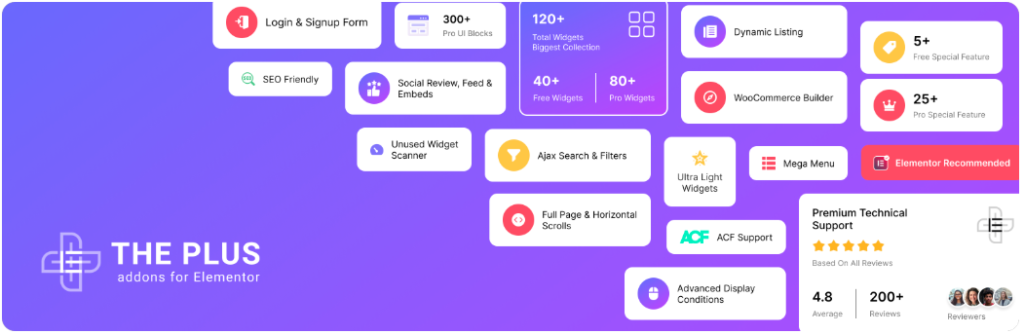
    The Plus Addons for Elementor is a feature-rich addon that offers 50+ widgets, 300+ UI blocks, and advanced styling options. It’s ideal for those who want to add creative design elements without any coding.

    • Free Version: Comes with 30+ widgets to improve Elementor’s core functionality.
    • Pro Version: Starts at $35 per year and includes 120+ widgets, animation effects, and additional styling options.

    3. PowerPack Lite

    PowerPack Lite for Elementor is another excellent free addon for Elementor. It provides unique widgets like advanced accordions, pricing tables, and info boxes. This addon is especially useful for business websites and landing pages that require a professional touch.

    • Free Version: Includes 30+ widgets to extend Elementor’s functionality.
    • Pro Version: Starts at $48 per year, adding dynamic content, enhanced performance tools, and more widgets.

    4. Essential Addons

    Essential Addons for Elementor is one of the most popular Elementor addon plugins, offering 40+ free widgets. It includes features like post grids, creative buttons, and form styler tools. If you need more flexibility in your design, this plugin is a must-have.

    • Free Version: Provides basic widgets to enhance your Elementor designs.
    • Pro Version: Starts at $79.98 per year and unlocks 70+ advanced widgets with additional customization options.

    5. Master Addons

    Master Addons for Elementor offers a wide range of interactive features, including tooltips, mega menus, and advanced typography controls. This addon is perfect for beginners and advanced users alike who want to enhance their website’s design and functionality.

    • Free Version: Comes with essential widgets and layout options.
    • Pro Version: Starts at $39 per year, unlocking premium widgets and advanced site-building features.

    Conclusion

    These free Elementor addons can significantly enhance your website’s design and functionality. If you need more advanced features, their Pro versions are great investments for taking your WordPress website to the next level.
    Which one is your favorite? Let us know in the comments! At BuddyDevelopers, we also provide WordPress development services, including custom theme development and additional features for your website. You can hire us at buddydevelopers.com by clicking on the Hire Us button.
    Also, don’t forget to follow us on social media for the latest updates on WordPress tutorials and guides. If you found this article helpful, share it with your fellow WordPress users and help them enhance their Elementor experience!

    Watch our latest video here: Best Free Elementor Addon Plugins to Enhance Your WordPress Website
    Thanks for reading, and happy designing with Elementor!