Category: Uncategorized

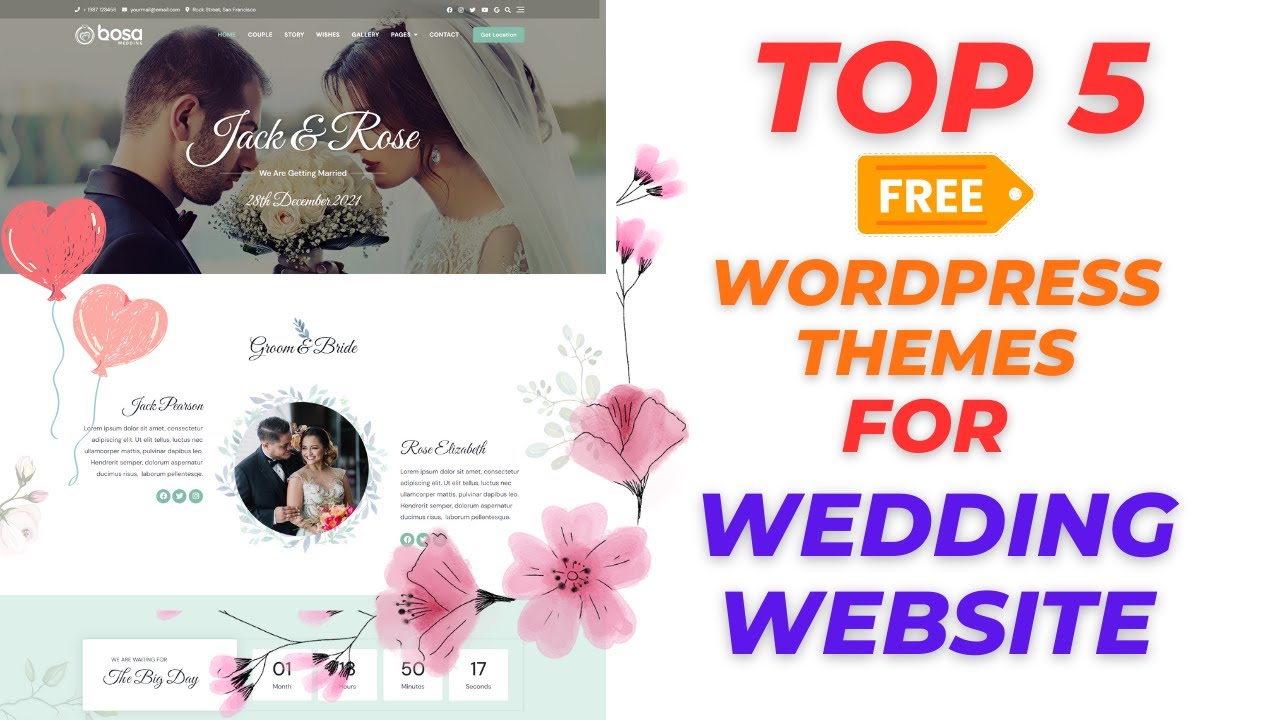
  • Top 5 Free WordPress Themes for Wedding Websites

    Top 5 Free WordPress Themes for Wedding Websites

    Hey everyone, welcome back to Buddydevelopers! I’m Naveen, and today we’re diving into the top five free themes in WordPress for wedding websites. These themes can transform your website’s look and feel, making it perfect for your special day. Whether you’re just starting out or already have some experience, these themes are essential for creating a stunning wedding website. Let’s get started!

    1. Blossom Wedding

    Blossom Wedding is a beautiful and elegant theme designed specifically for wedding websites. It features a clean and modern design that is fully responsive, ensuring your site looks great on all devices. The theme includes features like a customizable homepage, multiple layout options, and integration with popular plugins like WooCommerce and WPML, making it easy to create a stunning and functional wedding website.

    2. Catch Wedding

    Catch Wedding is a simple yet stylish theme perfect for wedding websites. It offers a responsive design ensuring your website looks great on any device. The theme includes customizable header options, a featured slider, and a variety of layout choices to showcase your wedding details beautifully. It’s easy to set up and customize, making it a great choice for couples looking to create a memorable online presence for their big day.

    3. Bosa Wedding

    Bosa Wedding is a versatile and elegant theme tailored for wedding websites. It comes with a clean design and multiple customization options, allowing you to create a unique and personalized site. The theme includes features like predesigned templates, WooCommerce compatibility, and easy integration with popular plugins, making it simple to set up a comprehensive wedding website with all the necessary details.

    4. Happy Wedding Day

    Happy Wedding Day is a charming theme designed to capture the joy and elegance of a wedding. It offers a responsive design ensuring your site looks great on all devices. The theme includes various customization options such as multiple color schemes, custom widgets, and homepage sections to display important wedding information. It’s user-friendly and perfect for couples looking to create a beautiful and functional wedding website.

    5. Wedding Focus

    Wedding Focus is a sophisticated and feature-rich theme designed for wedding websites. It boasts a responsive design that looks great on all devices and includes a variety of customization options to make your site unique. The theme offers multiple homepage sections, customizable header and footer options, and integration with popular plugins like Contact Form 7, making it easy to create a detailed and visually appealing wedding website.

    We hope this list helps you find the best free WordPress theme for your wedding website. For more WordPress guides and tips, be sure to explore our other articles. If you’re interested in a customized theme or need additional features for your site, we offer WordPress development services. Start a project with us to bring your vision to life.

    If you enjoyed this post, don’t forget to subscribe to our YouTube channel for more WordPress tutorials. You can also follow us on Twitter and Facebook for the latest updates and tips.

    Thanks for reading, and stay tuned for more insightful content!
    For more detailed explanations and insights, check out our video on YouTube: Top 5 Free WordPress Themes for Wedding Website

  • Top 5 Free WordPress Themes for Your Blog in 2024

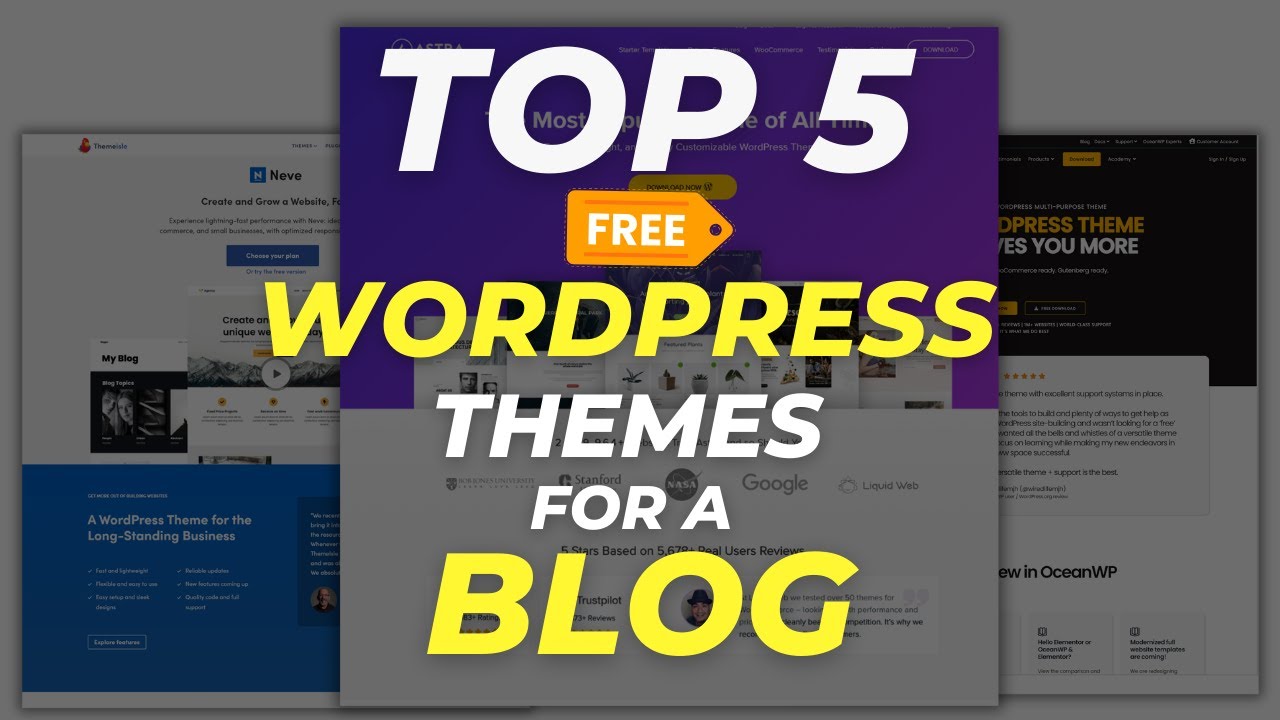
    Top 5 Free WordPress Themes for Your Blog in 2024


    Are you starting a blog in 2024 and searching for the perfect WordPress theme? Whether you’re launching a lifestyle blog, travel journal, or personal portfolio, selecting the right theme is essential for creating an engaging and visually appealing website. Here are the top five free WordPress themes that will elevate your blog:

    1. Olsen Light

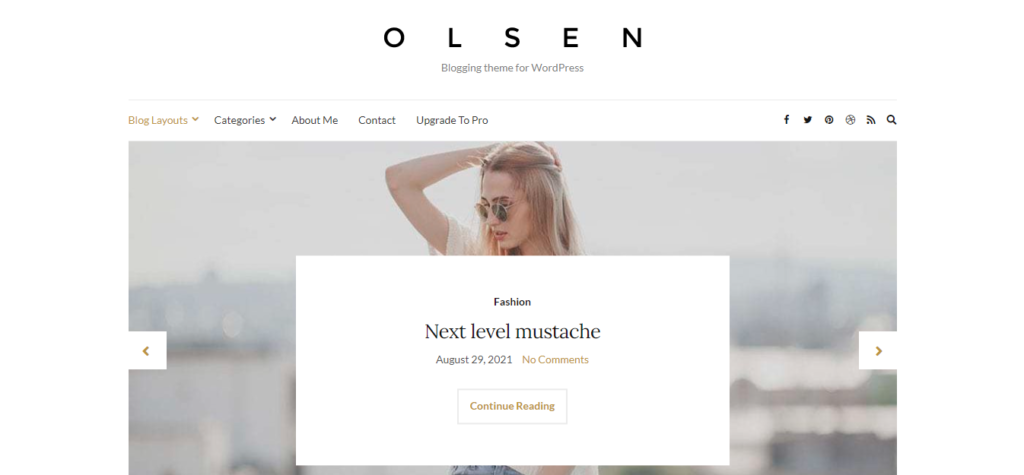
    Olsen Light is a clean and minimalistic theme designed to suit a variety of blogs. It’s user-friendly, fully responsive, and optimized for SEO, making it easy for your content to be discovered. The theme offers customizable layouts and built-in social sharing options, which can help you engage with your audience. Its compatibility with popular page builders ensures that you can create a unique blog design with ease.

    2. OceanWP

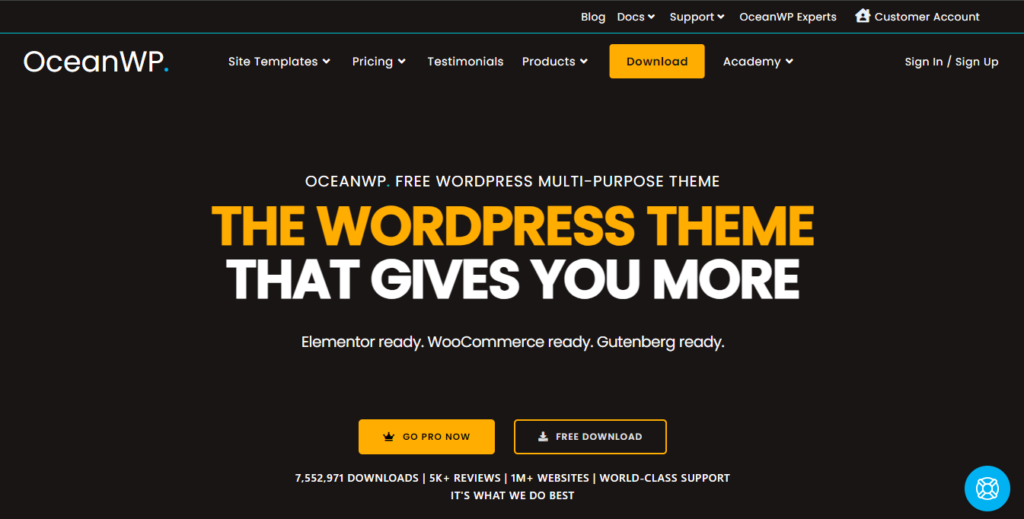
    OceanWP is a versatile and extendable theme that caters to various types of websites, including blogs. Known for its speed and responsiveness, OceanWP is also SEO-friendly, helping your blog rank better in search results. This theme comes with unique WooCommerce features, which are useful if you plan to add an online store to your blog. Its compatibility with all major page builders allows you to customize your site without any hassle.

    3. Astra

    Astra is celebrated for its impressive speed and customization options. This beautifully designed theme is ideal for blogs and other types of websites. Astra is lightweight and SEO-friendly, which helps improve your blog’s performance and search engine ranking. It works seamlessly with popular page builders like Elementor and Divi, allowing you to design your blog exactly the way you envision it.

    4. Neve

    Neve is a super-fast and highly customizable theme that fits a variety of purposes, making it a great choice for any blog. It’s responsive and optimized for SEO, ensuring that your blog looks great on all devices and performs well in search engines. Neve integrates effortlessly with Gutenberg and other popular page builders, providing flexibility in how you create and manage your content.

    5. GeneratePress

    GeneratePress is known for its lightweight design and fast performance. It focuses on speed and usability, making it a reliable choice for your blog. The theme is fully responsive and compatible with major page builders, allowing you to tailor your blog’s appearance and functionality to meet your needs. Whether you’re starting a new blog or redesigning an existing one, GeneratePress offers excellent performance and versatility.

    We hope this list helps you find the best free WordPress blog themes for your website. You may also want to check out our other WordPress guides for bloggers. If you’re interested in a customized theme or need additional features for your website, we offer WordPress development services. Start a project with us and let us help you bring your vision to life.

    If you liked this article, please subscribe to our YouTube channel for more WordPress video tutorials. You can also find us on Twitter and Facebook for the latest updates and tips.

    Thanks for reading, and stay tuned for more insightful content!
    For more detailed explanations and insights, check out our video on YouTube: Top 5 FREE WordPress Themes for a Blog


  • Top 5 WordPress Themes for 2024 You Need to Check Out

    Top 5 WordPress Themes for 2024 You Need to Check Out


    Welcome to Buddy Developers! Today, we’re excited to dive into the top five WordPress themes for 2024 that you should consider for your next project. Whether you’re setting up a personal blog, a business website, or an online store, these themes offer fantastic features and flexibility to meet your needs. Let’s explore each one!

    1. Astra

    Astra is renowned for its lightweight design and fast performance, making it a favorite among developers. Its fully customizable nature, combined with a variety of pre-built templates, makes Astra suitable for both beginners and experienced users. Whether you’re building a blog or an e-commerce site, Astra offers the flexibility and ease of use you need.

    2. Bloxy

    Bloxy is a modern and versatile theme, optimized for Gutenberg, the WordPress block editor. Its high-speed performance and range of customization options make it a strong contender. Bloxy’s seamless integration with popular plugins allows you to create stunning websites with minimal effort.

    3. Divi

    Divi by Elegant Themes is one of the most popular WordPress themes available. Its powerful drag-and-drop builder simplifies the process of designing custom layouts. With an extensive library of pre-made templates, you can have your site up and running in no time.

    4. Kadence

    Kadence stands out for its feature-rich capabilities and focus on performance. It provides a great user experience with its range of starter templates, making it an excellent choice for any type of website. Kadence is built for speed and flexibility, ensuring your site performs well and looks great.

    5. OceanWP

    OceanWP is a multi-purpose theme celebrated for its ease of use and flexibility. It comes with a variety of demo sites that can be imported with a single click, and it’s compatible with all major page builders. Whether you’re creating a blog, an online store, or a business site, OceanWP has you covered.

    Each of these themes offers distinct features and functionalities, helping you find the ideal fit for your project. If you need a custom theme or additional features for your website, Buddy Developers is ready to help. Click ‘Hire Us‘ to learn more.

    For more detailed explanations and insights, check out our video on YouTube: Top 5 Themes For WordPress in 2024


  • Top 5 Free Themes for Hotel Websites in WordPress

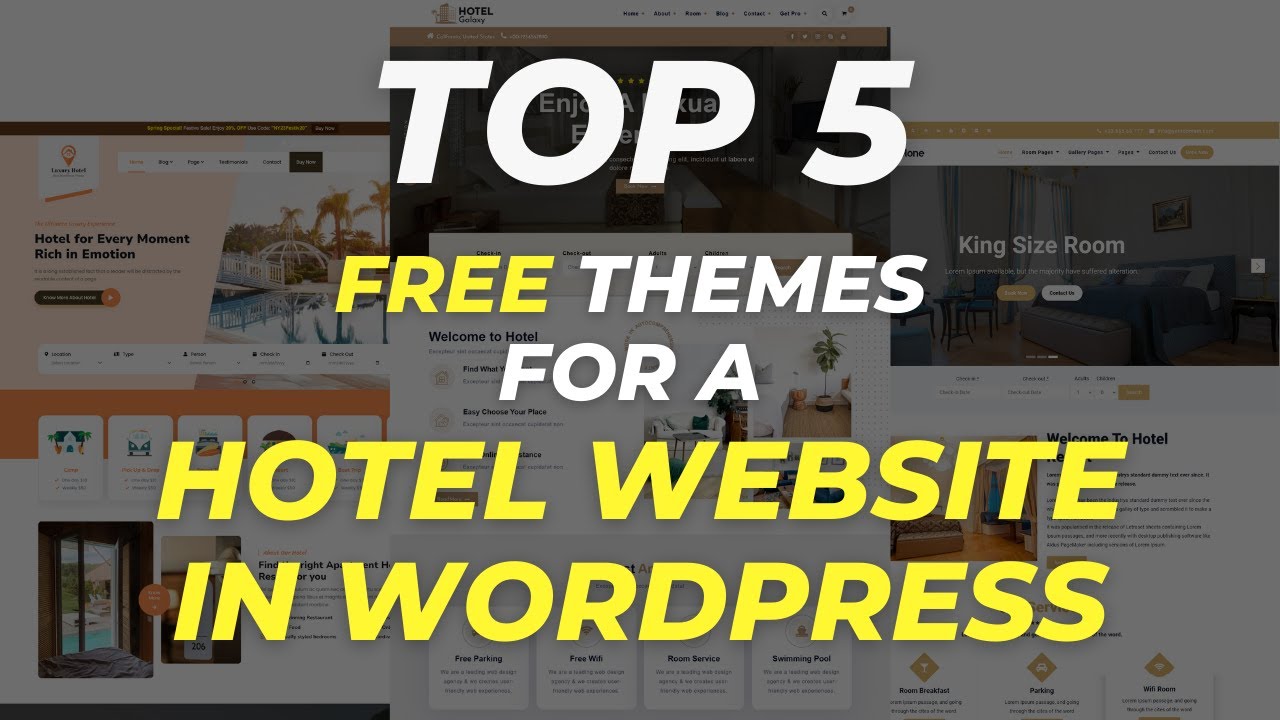
    Top 5 Free Themes for Hotel Websites in WordPress


    Welcome back to Buddy Developers! I am Naveen Giri, and today I am excited to share with you the top five free themes for a hotel website in WordPress. Let’s dive right in!

    1. Hotel Galaxy

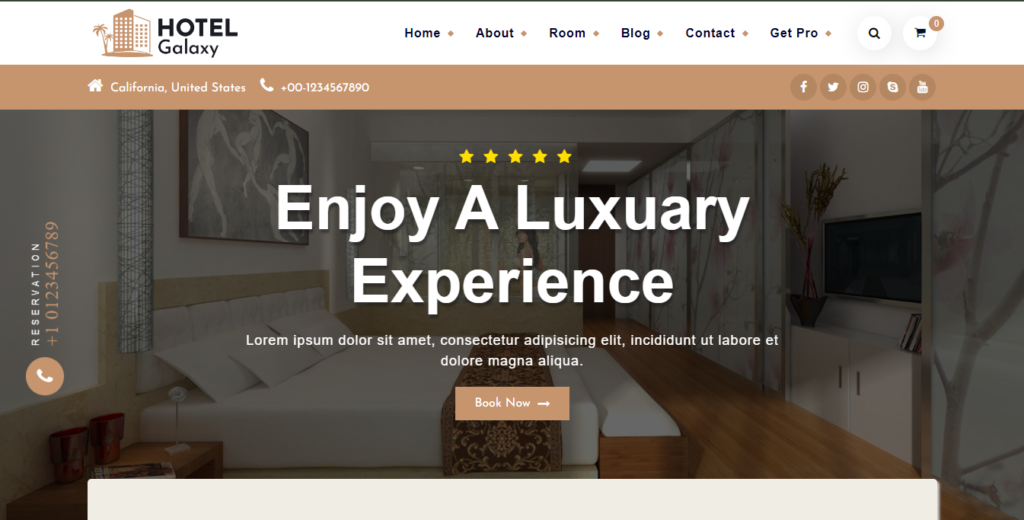
    Hotel Galaxy is designed specifically for hotel and hospitality businesses. It offers a range of features to help you create a professional and attractive website for your hotel. The theme includes various options to highlight your hotel’s amenities and services, making it easier for potential guests to navigate and book their stay.

    2. Luxury Hotels

    The Luxury Hotels WordPress theme is designed for upscale hotels, resorts, and premium accommodations. It features an elegant design with high-quality images and tasteful color palettes to convey luxury. The theme showcases hotel amenities, lavish interiors, and stunning views. It includes reservation forms, image galleries, and interactive maps and is responsive for all devices. Ideal for luxury boutique hotels and high-end resorts, it helps create a prominent and appealing online presence.

    3. Hotone

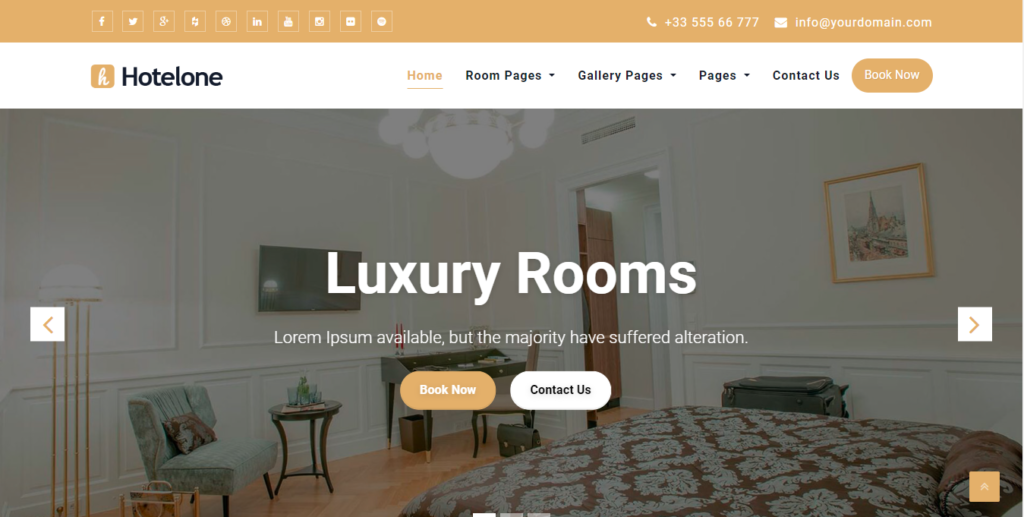
    Hotone is a customizable and responsive WordPress theme for hotels and resorts. It features a clean design, an advanced admin panel, and pre-built layouts for easy setup. Built with Bootstrap, it’s suitable for various businesses including restaurants and startups. The theme supports sliders, photo galleries, travel maps, and the Elementor Page Builder.

    4. Royal Luxury Hotel

    Looking to attract online customers for your luxury hotel, resort, cafe, or lounge? The Royal Luxury Hotel WordPress theme is perfect for showcasing your business services and ambiance. It’s easy to maintain without special skills, loads fast and is aesthetically designed for the industry. The user-friendly dashboard lets you update images, fonts, and content effortlessly.

    5. Hotel Suite

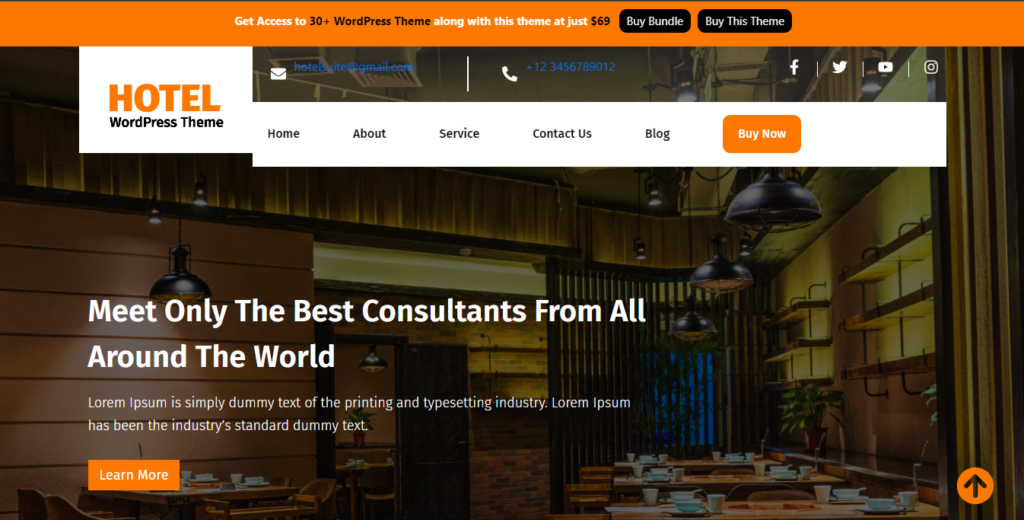
    Hotel Suite is a refined WordPress theme perfect for hotels, resorts, and accommodation establishments. It features an elegant design that showcases the luxurious ambiance of hotels, providing a seamless experience across all devices. Ideal for hotel owners, managers, and marketers, the theme offers an intuitive layout for presenting amenities, room options, and booking information.

    These are the top five themes for a hotel website in WordPress for 2024. Click on ‘Hire Us‘ for more information.

    For more detailed explanations and insights, check out our video on YouTube: Top 5 FREE Theme for Hotel Website in WordPress


  • Top 5 Best Free Photography Themes for WordPress in 2024

    Top 5 Best Free Photography Themes for WordPress in 2024


    Welcome back to BuddyDevelopers! I’m Naveen Giri, and today I’m thrilled to share with you the top five best free photography themes in WordPress for 2024. Whether you’re a professional photographer or an enthusiastic hobbyist, these themes will help you create a stunning and unique portfolio website. Let’s dive right in!

    1. Fotography

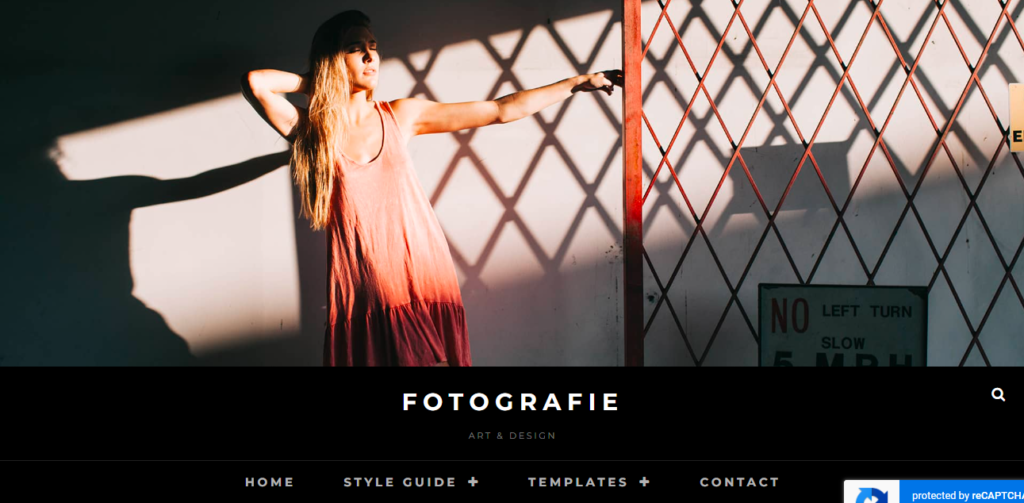
    Designed specifically for photographers, Photography comes with built-in features like a portfolio section, multiple layout options, and a beautiful masonry grid. It’s also SEO-friendly, ensuring your photos get the attention they deserve. Photography is the ultimate theme for photographers looking to create a stunning website.

    2. Photo Focus

    Photo Focus stands out with its minimalist design and powerful features. It includes customizable headers, multiple menu options, and an impressive featured content section. This theme is perfect for showcasing your best work in a visually appealing and organized manner.

    3. Pixgraphy

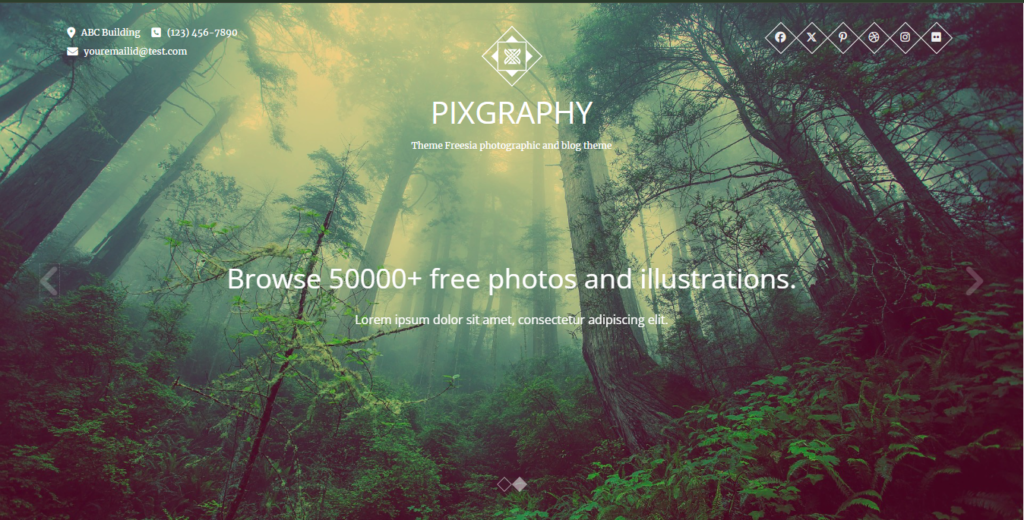
    Pixgraphy offers a sleek and modern design with features like a full-width slider and customizable homepage sections. It’s also WooCommerce compatible, allowing you to easily sell your photos online. With Pixgraphy, you can create a professional and functional photography website.

    4. Photo Perfect

    Photo Perfect is ideal for photographers who want to showcase their portfolio in a clean and elegant way. Its responsive design and multiple gallery layouts ensure your photos look stunning on any device. This theme provides a seamless viewing experience, highlighting your best work.

    5. Zubin

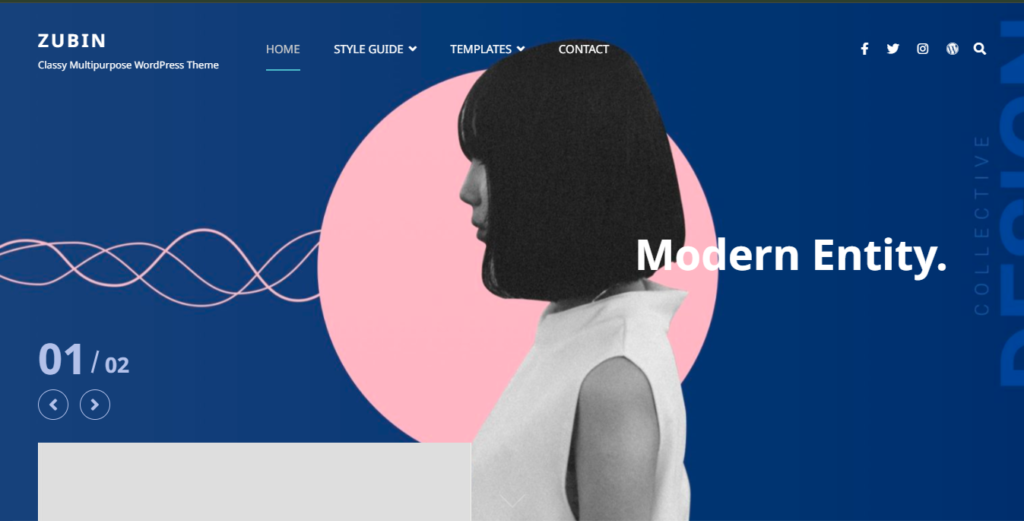
    Zubin is an incredibly versatile theme with a highly customizable design. It allows you to create a unique and professional portfolio effortlessly. Zubin offers advanced features like hero content, featured sliders, and multiple widget areas, making it a top choice for photographers in 2024.

    Conclusion

    These are the top five best free photography themes in WordPress for 2024. Whether you need a stunning photography website or help maintaining your WordPress site, we’ve got you covered. Click on ‘Hire Us‘ for more information.

    For more detailed explanations and insights, check out our video on YouTube: Top 5 Best Free Photography Themes for WordPress


  • Top 5 Themes for Creating Directory Websites Using the Geodirectory Plugin

    Top 5 Themes for Creating Directory Websites Using the Geodirectory Plugin

    Welcome to Buddy Developers! I’m Naveen. Today, we’re diving into the top five themes for creating directory websites using the Geodirectory plugin. Whether you’re building a directory site for local businesses, travel guides, or anything in between, these themes will give your website the professional look and functionality it needs. Let’s get started!

    1. Blocksy

    Blocksy is a powerful and highly customizable full-site editing theme that integrates seamlessly with your directory. It features a clean and responsive design, ensuring your site looks great on all devices. Since it uses the default WordPress editor, there’s no need for any page builders. This theme is Geodirectory’s in-house theme, so it has a special focus on Geodirectory compatibility. Blocksy also offers many child themes, which you can explore from their demos.

    2. Astra

    Astra is one of the most popular WordPress themes out there, and for good reason. It’s incredibly lightweight, fast, and highly customizable. Astra offers seamless integration with Geodirectory and comes with a range of pre-designed starter templates. This makes it easy to get your directory site up and running quickly while maintaining a professional appearance.

    3. Listimia

    Listimia is a versatile WordPress theme perfect for directory websites. With its modern design and easy customization options, it helps you create an attractive and functional site. Key features include seamless Geodirectory integration, responsive design, and advanced search capabilities. Ideal for building professional business directories, travel guides, and more.

    4. Divi

    Divi is known for its powerful visual builder, which makes designing your site a breeze. With Divi, you can create stunning layouts with ease thanks to its drag-and-drop interface and a wide range of design elements. Divi’s flexibility is unmatched, allowing you to customize every aspect of your site, from the header to the footer. This theme is perfect for those who want complete control over their site’s design without needing any coding knowledge.

    5. Kleo

    Kleo is a multipurpose theme with a focus on community and social networking. It’s perfect for creating a directory website with a social twist. If you want a directory site with community and social network features, Kleo is the best choice for you. Its versatile design and robust functionality make it easy to create an engaging and interactive directory website.

    Conclusion

    Here’s our roundup of the top five themes for Geodirectory websites. Whether you need a theme with versatile features, a simple setup, or advanced customization options, these selections cater to various needs and preferences. Click on ‘Hire Us‘ for more information.

    For more detailed explanations and insights, check out our video on YouTube: Top 5 Themes for Creating Directory Websites Using Geodirectory plugin

  • Top 5 Best Social Media Monitoring Tools Every Website Owner Should Use in 2024

    Top 5 Best Social Media Monitoring Tools Every Website Owner Should Use in 2024


    In the ever-evolving digital landscape, effective social media management is crucial for website owners. To help you stay ahead, we’ve compiled a list of the top five social media monitoring tools every website owner should use in 2024. Let’s dive in!

    1. Buffer

    Buffer is an all-in-one solution for managing your social media presence. It excels at scheduling posts, analyzing performance, and consolidating all your social accounts into one easy-to-navigate platform. Whether you’re a small business owner or a large enterprise, Buffer’s intuitive interface and robust features make social media management a breeze.

    Key Features:

    • Scheduling: Plan and publish your content at optimal times to reach your audience when they’re most active.
    • Analytics: Track your social media performance with detailed analytics to understand what works best.
    • Team Collaboration: Collaborate with your team efficiently with user permissions and approvals.

    Buffer’s simplicity and effectiveness make it an indispensable tool for anyone looking to streamline their social media strategy.

    2. Hootsuite

    Hootsuite stands out with its ability to track multiple social media channels and engage with your audience from a single dashboard. It’s designed to cater to both teams and individual users, providing a seamless experience for managing social interactions, scheduling posts, and tracking performance metrics. Hootsuite is perfect for those who need a comprehensive tool to manage their social media strategy.

    Key Features:

    • Unified Dashboard: Manage all your social media channels in one place.
    • Engagement: Respond to messages and comments directly from the dashboard.
    • Analytics: Gain insights into your social media performance with robust analytics and reporting.

    Hootsuite’s versatility and comprehensive features make it a favorite among social media managers.

    3. Google Analytics

    While primarily known for website statistics, Google Analytics also offers powerful features for tracking social media traffic and conversions. By integrating your social media accounts with Google Analytics, you gain valuable insights into how your social media efforts are driving traffic and engagement on your website. It’s an essential tool for understanding your audience and optimizing your social media strategy.

    Key Features:

    • Traffic Analysis: Track where your social media traffic is coming from and how it behaves on your website.
    • Conversion Tracking: Measure the effectiveness of your social media campaigns in driving conversions.
    • Audience Insights: Understand the demographics, interests, and behaviors of your audience.

    Google Analytics provides a deep dive into your social media performance, making it an invaluable tool for data-driven marketers.

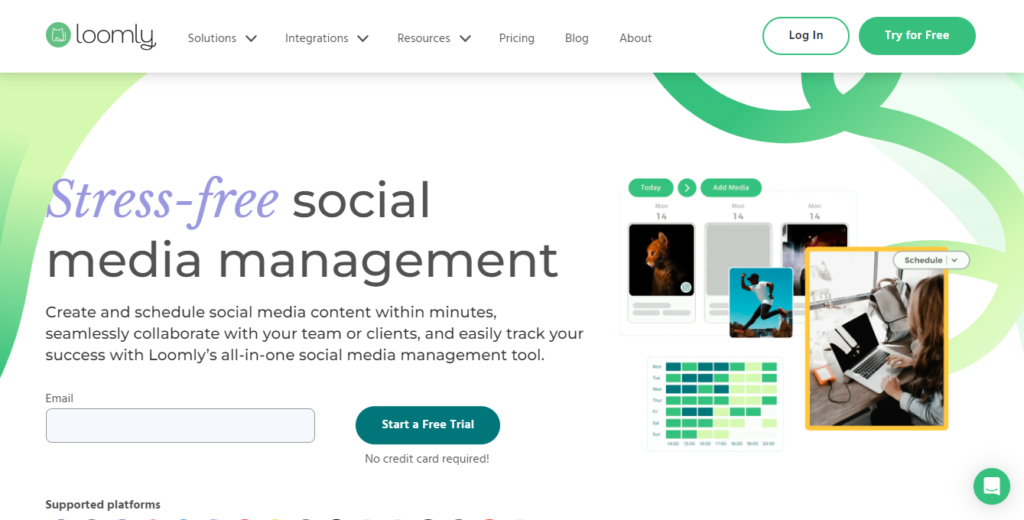
    4. Loomly

    Loomly is a must-have for any brand looking to enhance its social media presence. This tool assists in creating, scheduling, and analyzing social media content, offering a plethora of features to keep your strategy on track. With its user-friendly interface and detailed analytics, Loomly helps you stay organized and effective in your social media campaigns.

    Key Features:

    • Content Creation: Generate post ideas and manage your content calendar.
    • Scheduling: Schedule posts across multiple social media platforms.
    • Analytics: Track your social media performance with comprehensive analytics.

    Loomly’s focus on content creation and scheduling makes it an excellent choice for brands aiming to maintain a consistent and engaging social media presence.

    5. SocialPilot

    Designed for efficiency, SocialPilot allows you to schedule posts, analyze results, and manage multiple accounts with ease. It’s an ideal choice for busy marketers who need a streamlined tool to handle their social media activities. SocialPilot’s comprehensive features make it a go-to solution for maintaining a robust social media presence.

    Key Features:

    • Bulk Scheduling: Schedule multiple posts at once to save time.
    • Client Management: Manage multiple clients and their social accounts seamlessly.
    • Detailed Analytics: Get in-depth reports on your social media performance.

    SocialPilot’s efficiency and powerful features make it perfect for marketers who need to maximize their productivity.

    Conclusion

    In 2024, staying on top of your social media game is more important than ever. By utilizing these top five social media monitoring tools, you can enhance your online presence, engage with your audience, and drive meaningful results for your website. Start leveraging these tools today to take your social media strategy to the next level. Click on ‘Hire Us‘ for more information.

    For more detailed explanations and insights, check out our video on YouTube: Top 5 Best Social Media Monitoring Tools Every Website Owner Should Use in 2024.

  • Send a message to the listing author without leaving the site – Buddy Geodirectory Messages

    Send a message to the listing author without leaving the site – Buddy Geodirectory Messages

    In the world of online directories, user engagement is the key to success.
    The more time users will spend on your site the more chances you have to earn money. In this blog post, we are introducing you to our new plugin that will attract users to your website again and again and it will increase the site user engagement.

    The Problem with Traditional Forms

    Geodirectory offers support with Ninja form to contact a Listing owner using emails. Recently we have also created a guide on How to use Gravity form with the Geodirectory.
    The disadvantage of this, it decreases your site user engagement.

    While Ninja Forms and Gravity Forms serve their purposes, they indirectly send users away from your site. Redirecting users to their email platform reduces the chances of users coming back to the website again. Considering this in mind, we found a solution that keeps the conversation right where it belongs – on your listing site.

    Introducing Buddy GD Messages

    The Buddy GD Messages is an awesome plugin that seamlessly connects Geodirectory with the feature-rich Better Messages plugin. With the help of the Buddy GD Messages plugin users can engage in real-time conversations, initiate calls, and conduct video chats with the listing owner – all without leaving the site.

    Key Features of Buddy GD Messages

    1. Real-Time Conversations with Listing Author: Enable users to communicate instantly with the listing owner, and promote a sense of connection and responsiveness.
    2. Private Chat: It helps to have one-on-one conversations, allowing users to discuss specific details or ask questions directly with the listing author.
    3. Video and Audio Calls: Elevate user experience with private video and audio calls, providing a personalized touch to online interactions with the listing author.
    4. Seamless Integration: The Buddy GD Messages is easy to integrate with your Geodirectory Listing website.


    Proven Results

    We’ve tested the Buddy GD Messages with some of our clients, and the results have been nothing short of impressive. The response and user engagement levels have increased a lot.

    How to Get Started

    Activating Buddy GD Messages on your website is easy.

    ● Buy the plugin from here.
    ● Upload the plugin zip file from the add new plugin section in WordPress.
    ● Activate the plugin
    ● Go to the settings page of the plugin (you can find it by name GD Messages)
    ● Use the “Geodirectory Messages” Block in the GD Detail or GD Archive item page template. It will provide a send message button.

  • How to Import and Export Data with Geodirectory WordPress Plugin

    How to Import and Export Data with Geodirectory WordPress Plugin

    The Geodirectory WordPress plugin allows you to import and export data in CSV (Comma Separated Values) format. Here is a step-by-step guide to help you

    Import and export data with Geodirectory

    Importing Data

    1. Prepare your data in a CSV format. The CSV file should include columns for the various data fields that you want to import, such as post title, post content, etc.
    2. In your WordPress dashboard, go to the Geodirectory menu and click on the “Import/Export” option.
    3. Click on the “Import” tab and select the “CSV” option.
    4. Choose the CSV file you want to import and select the appropriate options, such as the post type, the default category, and the default status.
    5. Click the “Import” button to start the import process.

    Exporting Data

    1. In your WordPress dashboard, go to the Geodirectory menu and click on the “Import/Export” option.
    2. Click on the “Export” tab and select the “CSV” option.
    3. Choose the data you want to export, such as posts, categories, etc.
    4. Select the options you want to include in the export, such as the post type, the post status, and the date range.
    5. Click the “Export” button to download the exported CSV file.

    Note: It’s important to make sure that your CSV file meets the format requirements before you import or export data with Geodirectory. This will help to ensure that the import or export process goes smoothly and without errors.

    You can follow the below video to import and export CSV data files in Geodirectory.

    Import data using CSV file in Geodirectory

    Import data using WP All Import plugin

    Geodirectory also offers a data import option using WP All Import plugin.

    You can follow this video to know how to import data in Geodirctory using WP All Import plugin.

  • How to use Gravity form with the Geodirectory?

    How to use Gravity form with the Geodirectory?

    The Geodirectory plugin is an awesome way to create a Directory website in WordPress. So far Geodirectory only supports and recommends Ninja form to allow creating a contact listing form.
    I have seen many people ask this question about the Gravity form integration with Geodirectory. I have no proper information over the internet about it. so here we will discuss How you can use Gravity form with the Geodirectory?

    I have divided this integration into 5 steps. By following these 5 steps you can create a Contact Listing form using Gravity form to easily contact the Listing author.

    Step 1 – Create a Dynamically Populated email tag

    Gravity form supports Dynamic Population. we will use this feature to create a dynamic tag for the Listing Author email.
    I have already prepared a snippet for you. you can use the code snippet plugin to use it OR if you have a child theme you can add this code to your child-themes functions.php.

    /**
     * This code will help you to send email to the listing author email address. 
     */
    add_filter( 'gform_field_value_author_email', 'populate_post_author_email' );
    function populate_post_author_email( $value ) {
    	global $post;
    	$author_email = get_the_author_meta( 'email', $post->post_author );
    	return $author_email;
    }

    If you want the contact listing email should go to the email address added in the Listing email field. You can use the code below.

    /**
     * This code will help you to send email directly to the email address added for contact in the listing.
     */
    add_filter( 'gform_field_value_author_email', 'populate_post_author_email' );
    function populate_post_author_email( $value ) {
    	global $gd_post;
    	$email_to = is_email( $gd_post->email ) ? $gd_post->email : '';
    	return $email_to;
    }

    Now that our Dynamically populated tag is ready. we can move to step 2.

    Step 2 – Create a Gravity form for Geodirectory Contact Listing

    Now you have to create a simple Gravity form for contacting a Listing.

    Follow these mini steps to configure the dynamically created tag in the form.

    1. Create a hidden field in the form

    2. Click on the field setting

    3. Enable allow the field to be populated dynamically

    4. Add parameter Name to author_email as we have created in the above snippet.

    Step 3 – Set Notification for Listing the Author

    Now the last step is to allow the form submission notification to be enabled for the listing of the author.

    You can look for the hidden field name in the field tags and use it inside the send to the email field.

    Now your Gravity form is ready to work like a contact listing form with Geodirectory.

    You can ask in the comment section if you have any queries.

  • How to convert the Geodirectory add listing form into a multi-step form?

    How to convert the Geodirectory add listing form into a multi-step form?

    If you are creating a directory site using the Geodirectory WordPress plugin or if you already have one. You know that Geodirectory provides you with an inbuilt form for Adding a Listing. If this form has lots of fields, it becomes boring for the site user to fill it up and they often leave it without completing it.
    To deal with this case, converting the long form into a multi-step form along with tracking each step can help the user to engage with the form physiologically. In this article, we will have a look at how you can convert the Geodirectory add listing form into a multi-step form.

    Geodirectory Stepwise add listing form

    Based on our customer’s requirements, we have managed to provide it in a WordPress plugin.

    Pro version

    The plugin has a pro version, which you can download from the below link.
    Download Geodirectory Stepwise Add Listing Form

    This pro version provides you with a default style.

    You can check in the below video how this style looks.

    In the pro version, you will also see a few more style options for the add listing form of Geodirectory.

    In the below video, you can check how the slider style of the plugin can change the add listing form look.

    If you want to know more about it;s pricing plans you can visit the website form from the link below.
    Geodirectory Stepwise Add Listing Form
    You can also download it from the plugin settings. if you are already using the free version

    How to install the plugin?

    You can install this plugin like other WordPress plugins. You can follow the below steps to install the plugin.

    1. Buy the plugin from here Buy Now
    2. You will get a download link
    3. Import the zip in the plugin section
    4. You will see a tab in the Admin menu with the name Stepwise Forms. You can select the form style there.

    How to Setup the plugin?

    Other instructions can be followed in the below video